
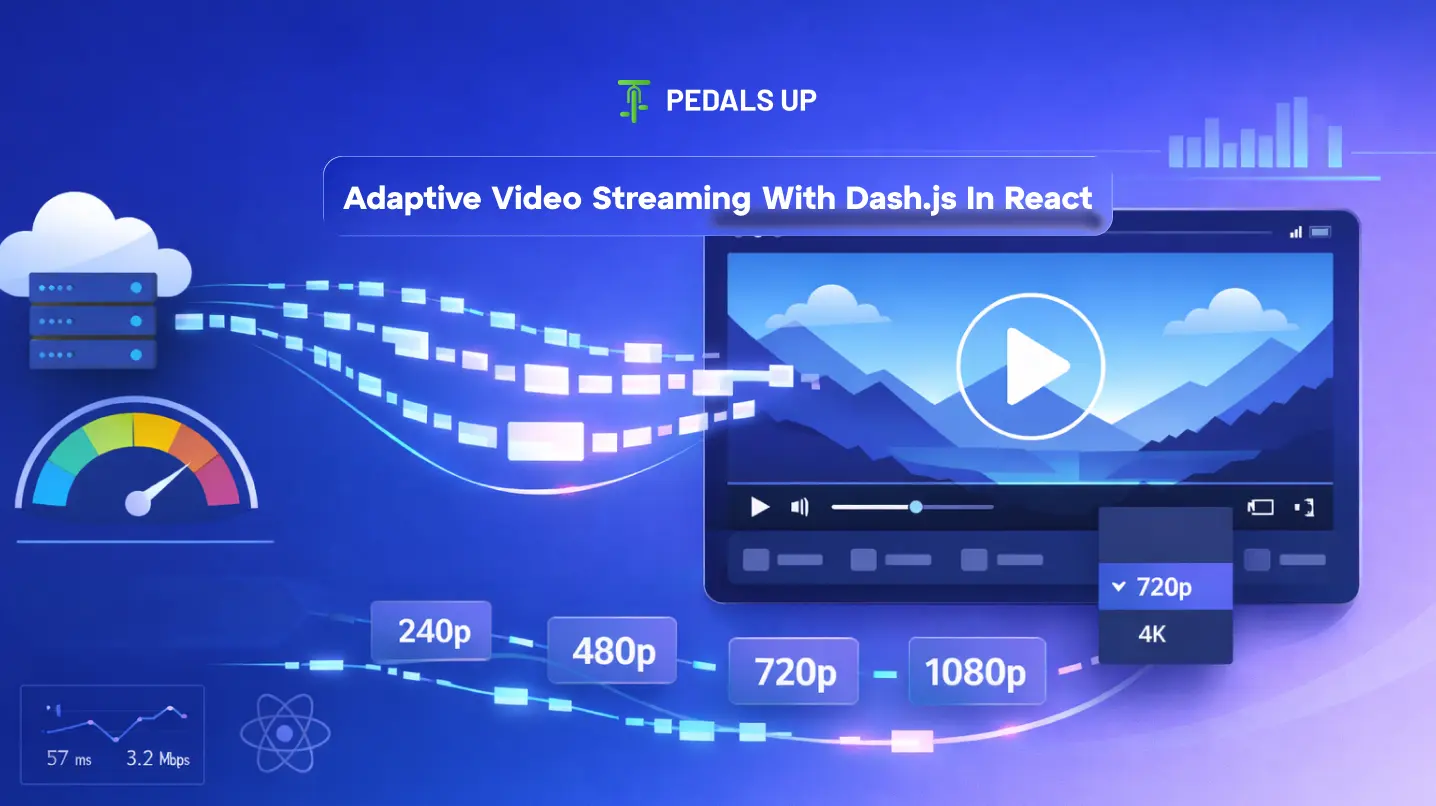
Adaptive Video streaming has become a core feature of modern digital platforms. From entertainment and education to fintech and social media, businesses are integrating video experiences directly into their products.
But delivering video reliably across devices and network conditions is not simple.
Users expect instant playback, minimal buffering, and consistent quality whether they are on high-speed Wi-Fi or unstable mobile networks. Achieving that level of performance requires adaptive streaming technology.
One of the most widely used approaches today is MPEG-DASH based streaming, implemented using tools like Dash.js and modern frontend frameworks like React.
This guide explains how adaptive streaming works, why Dash.js is widely used, and how React developers can implement scalable video streaming experiences.
Why Traditional Video Streaming Fails
Early video players used progressive download streaming, where a single video file was delivered to the user regardless of network conditions.
This approach created several problems:
- Long startup times
- Frequent buffering
- Poor experience on mobile networks
- Inefficient bandwidth usage
As video consumption grew rapidly on platforms like Netflix and YouTube, streaming infrastructure had to evolve.
The solution was adaptive bitrate streaming (ABR).
What Is Adaptive Video Streaming
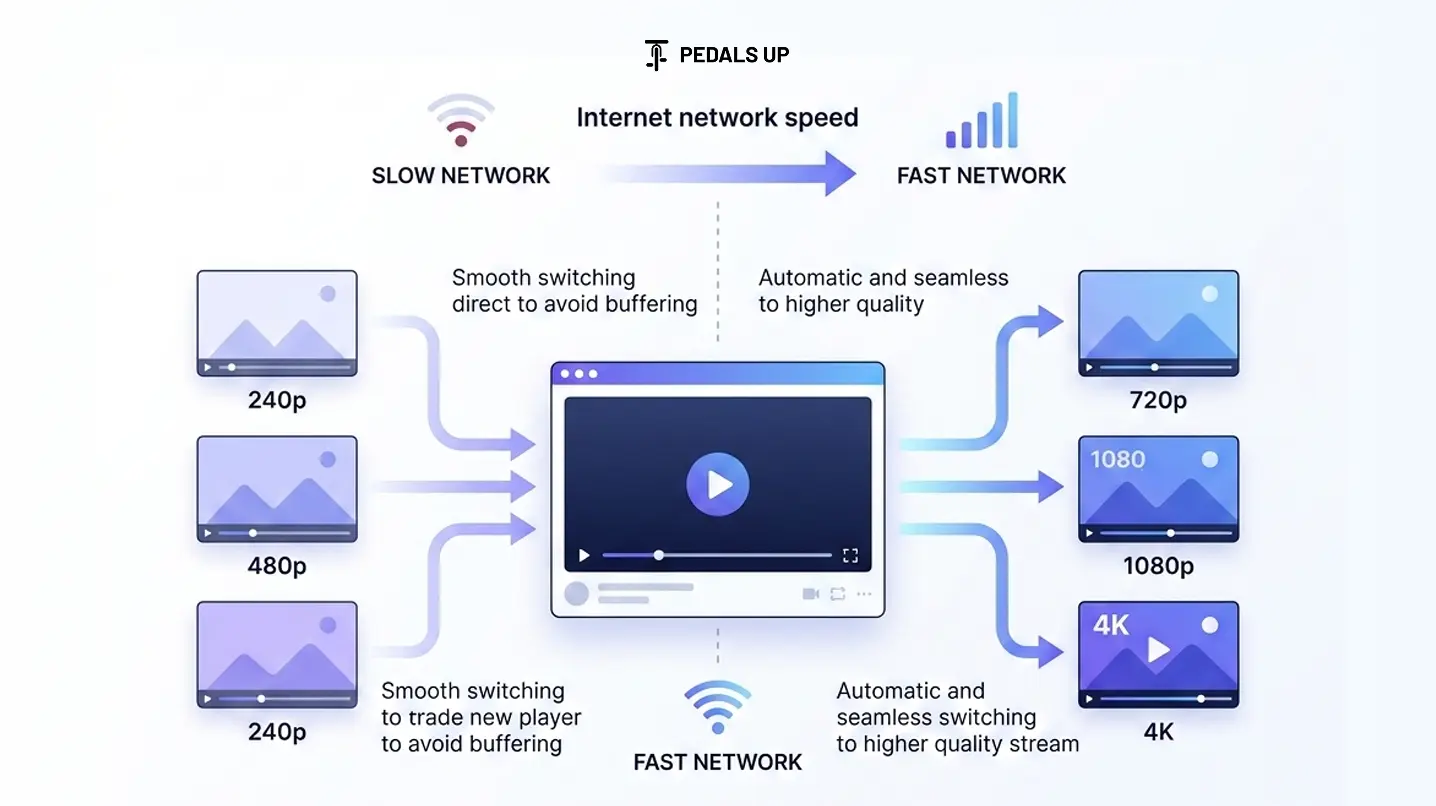
Adaptive streaming dynamically adjusts video quality based on a user’s device capabilities and internet speed.
Instead of delivering a single video file, the video is encoded into multiple quality levels such as:
- 240p
- 480p
- 720p
- 1080p
- 4K
The player continuously monitors network conditions and switches between these versions without interrupting playback.
This allows users to experience:
- Faster video start times
- Reduced buffering
- Optimized bandwidth usage
Technologies like MPEG-DASH and HTTP Live Streaming have become the foundation for adaptive streaming.
What Is MPEG-DASH
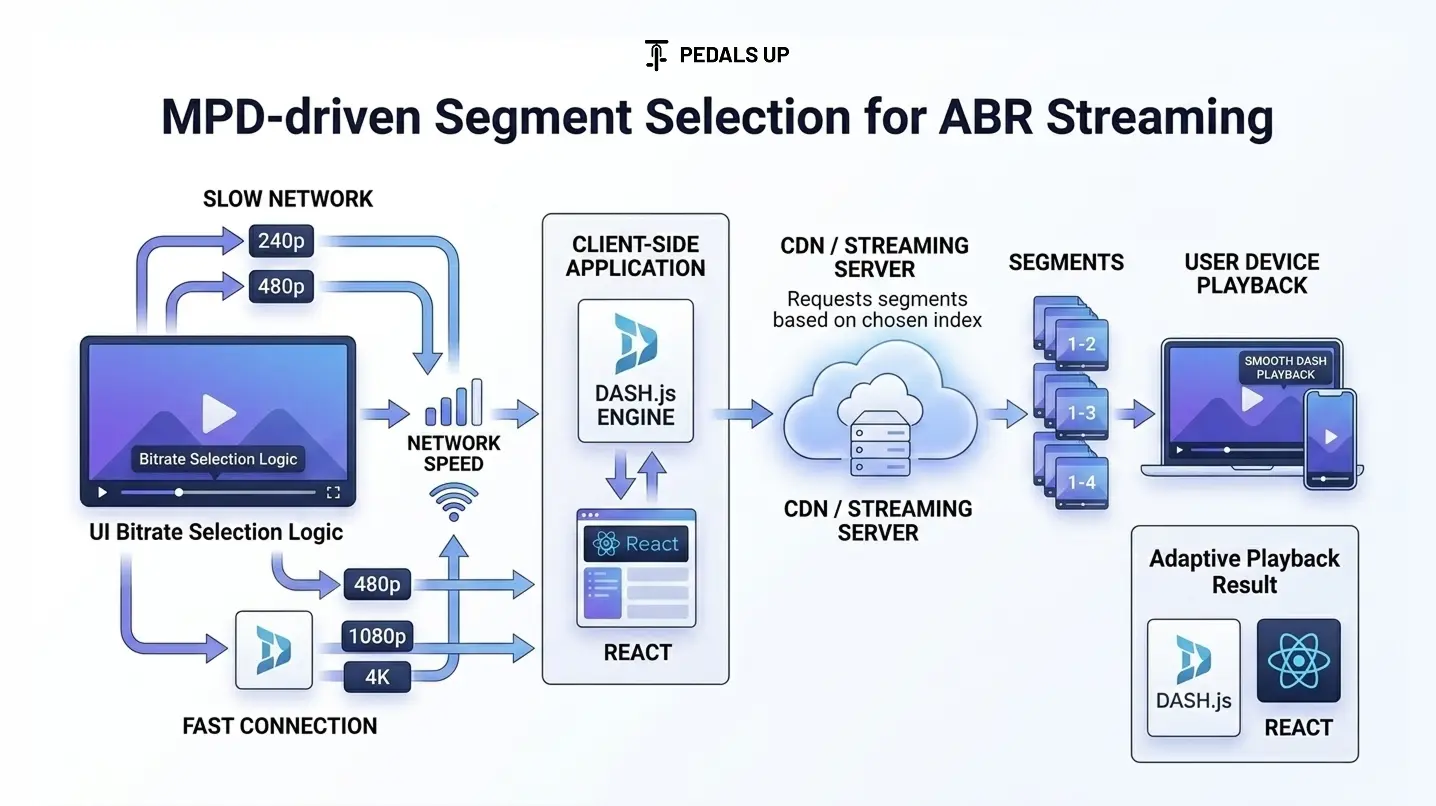
Dynamic Adaptive Streaming over HTTP, commonly called MPEG-DASH, is an international streaming standard developed for adaptive bitrate video delivery over HTTP.
Instead of streaming a single file, DASH splits videos into small segments.
A manifest file called the MPD (Media Presentation Description) tells the player:
- What video qualities are available
- Where each segment is stored
- When to switch quality levels
This segmented structure allows the player to adapt streaming quality in real time.
Major platforms including YouTube rely heavily on DASH to ensure global streaming reliability.
What Is Dash.js
Dash.js is an open-source JavaScript library that enables playback of MPEG-DASH streams in web browsers.
It is developed and maintained by the Dash Industry Forum.
Dash.js provides several powerful capabilities:
- Adaptive bitrate streaming
- DRM support
- Low latency streaming
- Playback analytics
- Multi-track audio and subtitles
For developers building streaming products with React, Dash.js offers a flexible and reliable playback engine.
Why Use Dash.js With React
Modern web applications often use component-based frameworks like React to build interactive interfaces.
Integrating Dash.js into a React application provides several benefits:
1 Flexible UI Integration
React allows developers to create custom video players, controls, and layouts without relying on default browser players.
2 Better Performance Management
React’s state management makes it easier to handle buffering states, playback status, and user interactions.
3 Scalable Architecture
Component-based architecture ensures the video player can integrate with larger application systems such as dashboards, analytics, and live streaming features.
For video-heavy platforms, this combination enables highly customizable streaming experiences.
How Adaptive Streaming Works in Dash.js
Adaptive streaming using Dash.js follows a structured pipeline.
Step 1 Video Encoding
The source video is encoded into multiple bitrate versions.
For example:
- 360p at 800 kbps
- 720p at 2 Mbps
- 1080p at 5 Mbps
Step 2 Segment Creation
Each encoded video is split into small segments, usually lasting 2–10 seconds.
Step 3 MPD Manifest Generation
A manifest file is generated containing metadata describing the available streams.
Step 4 Playback Through Dash.js
The Dash.js player reads the MPD file and begins streaming the appropriate video segments based on network conditions.
If bandwidth drops, the player automatically switches to a lower quality stream without interrupting playback.
Implementing Dash.js in a React Application
A typical integration involves initializing the Dash.js player when the React component mounts.
Basic implementation steps include:
- Install Dash.js dependency
- Create a video element inside the React component
- Initialize the player instance
- Attach the MPD manifest URL
- Monitor playback events
This setup enables the React interface to control playback while Dash.js handles adaptive streaming logic.
Performance Optimization Strategies
Adaptive streaming works best when combined with strong performance optimization practices.
Developers should consider:
Efficient Video Encoding
Using optimized encoding settings reduces file size while maintaining visual quality.
CDN Distribution
Content delivery networks ensure video segments load quickly worldwide.
Platforms such as Cloudflare distribute video content across global edge servers to minimize latency.
Segment Duration Optimization
Shorter segments improve quality switching but increase server requests.
Balancing segment length is critical for performance.
Buffer Management
Dash.js allows developers to control buffer sizes to minimize playback interruptions.
Real World Use Case: Netflix Streaming Infrastructure
Large streaming platforms invest heavily in adaptive streaming technologies.
Netflix, for example, uses adaptive bitrate streaming to serve video content across a wide range of devices and bandwidth environments.
Their approach includes:
- Multiple bitrate encodings
- Intelligent buffering algorithms
- Global CDN distribution
This infrastructure enables millions of users worldwide to stream content with minimal buffering.
While smaller platforms may not operate at Netflix scale, the same principles apply when building reliable streaming experiences.
Common Challenges Developers Face
Implementing adaptive streaming introduces several technical challenges.
DRM Integration
Streaming premium content requires digital rights management systems.
Network Instability
Mobile users often experience fluctuating bandwidth conditions.
Cross Device Compatibility
Different browsers and devices may handle video decoding differently.
Latency Management
Live streaming platforms must minimize delay between broadcast and playback.
Dash.js provides tools and configuration options to handle many of these issues.
When Businesses Should Invest in Adaptive Streaming
Adaptive video streaming becomes essential for platforms that rely heavily on video experiences.
Examples include:
- OTT platforms
- Online education systems
- Sports streaming platforms
- Gaming streaming platforms
- Video-based social networks
If video is central to user engagement, adaptive streaming is critical to maintaining performance and retention.
Conclusion
Modern digital platforms cannot rely on traditional video delivery methods. Users expect instant playback, seamless quality adjustments, and uninterrupted viewing across devices.
Adaptive streaming using MPEG-DASH and Dash.js provides the infrastructure needed to deliver these experiences reliably.
When combined with React, developers gain the flexibility to build scalable, customizable video players that integrate smoothly into modern web applications.
For companies building video platforms, investing in a well-designed streaming architecture can dramatically improve performance, engagement, and user retention.
At Pedals Up, we help businesses design and build high-performance digital products including advanced streaming platforms, scalable web applications, and modern frontend architectures.